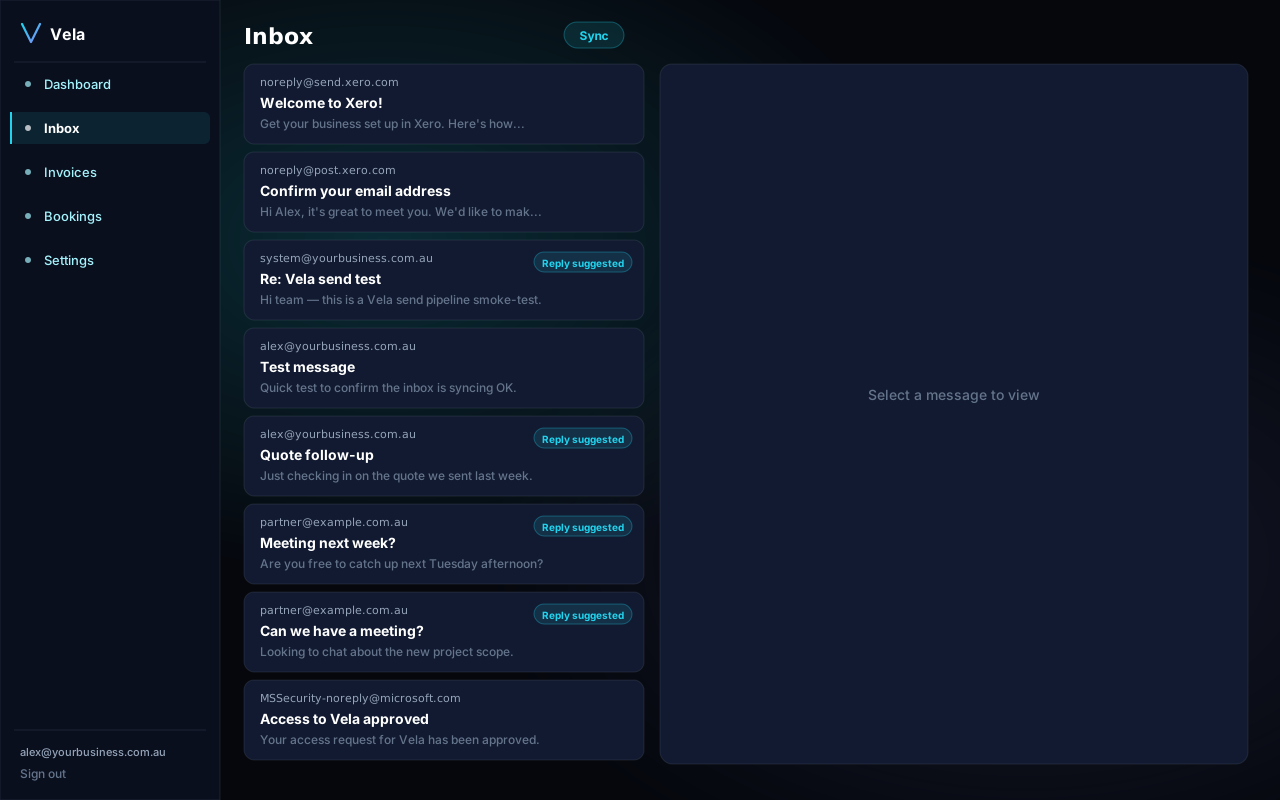
The Inbox is Vela's email control centre. Every incoming message in your connected mailbox is scored, classified, and either drafted-for-reply or filed away.
What gets surfaced
By default Vela surfaces three classes of message:
- Questions from clients — anything that ends with a question mark, addressed to you directly, from a known contact.
- Booking requests — explicit calendar-meeting asks (Vela also drafts a holds-the-time response).
- Overdue invoice replies — when a client replies to one of your reminders.
What gets filed
Everything else — newsletters, marketing, internal CC threads — is left alone. Vela does not move or delete mail you haven't acted on; it only adds suggested actions inside Vela itself.
Per-card detail
Click any card to see the full original thread, Vela's draft, the reasoning summary, and the confidence score.
Tuning what's surfaced
Settings → Inbox rules lets you add or remove triage classes (e.g. "always surface VIP contacts", "ignore noreply@*"). Changes apply to the next sync — usually within 60 seconds.