Once your connections are active, Vela starts proposing actions. Nothing is sent without your approval.
The Inbox view
Open Inbox from the left nav. You'll see one card per conversation — each with the original message, Vela's draft, and the reasoning summary.
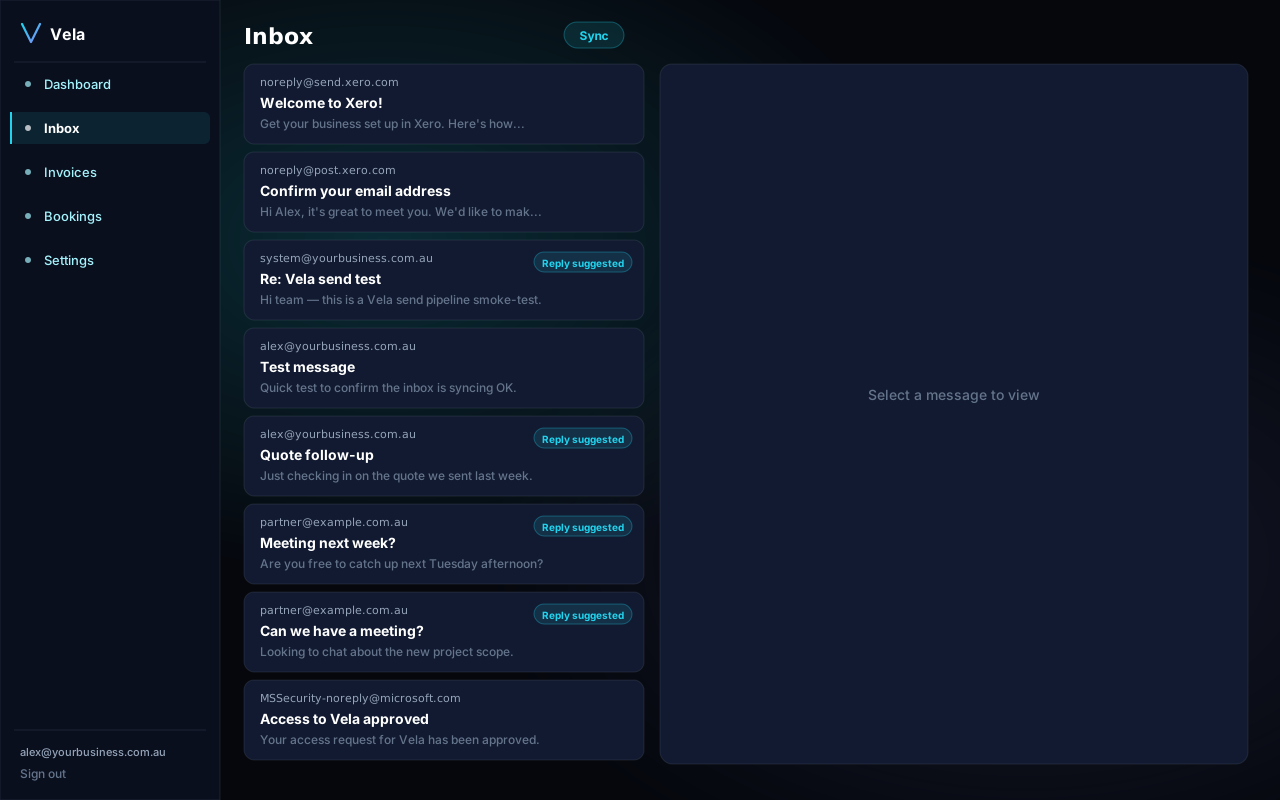
Opening a draft
Click a card to expand the full draft on the right. You'll see:
- The original message or invoice context.
- Vela's full draft reply or action.
- The reasoning summary (why Vela picked this).
- Three buttons: Approve, Edit, Skip.
Approve, edit, or skip
- Approve sends/applies the action exactly as drafted.
- Edit opens an inline editor — your changes are sent and we learn from the edit.
- Skip marks the suggestion as dismissed; we won't suggest the same thing again.
Confidence
Each action shows a confidence score. Anything below 75% is held for review by default. You can tighten or loosen this from Settings → AI guardrails.