Vela connects to Microsoft 365 via the official Microsoft Graph API. We never store your password.
Where to start
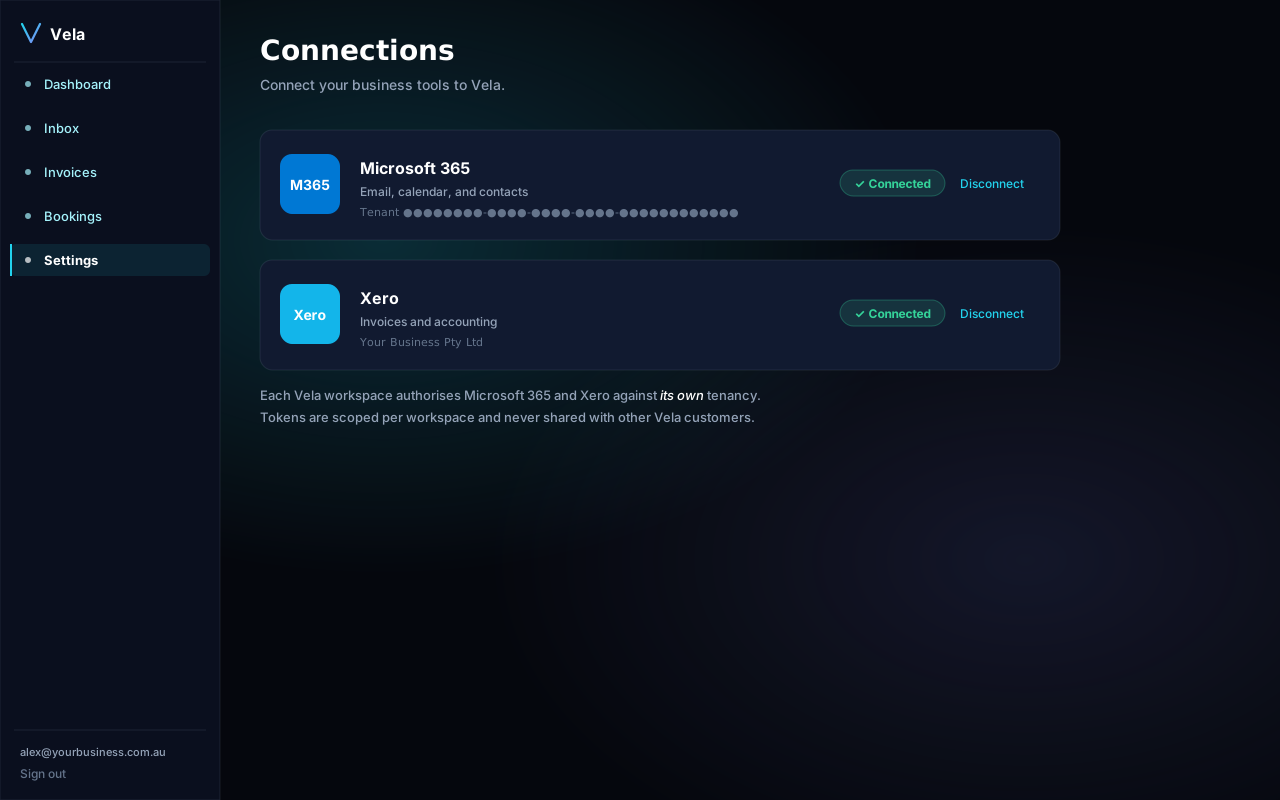
Open Settings → Connections. You'll see a card for Microsoft 365 with a Connect button.
What we ask for
- Mail.Read — to triage incoming email and surface action items.
- Mail.Send — to send replies you approve.
- Calendars.ReadWrite — to fill bookings.
- User.Read — basic profile.
Steps
- Open Settings → Connections and click Connect Microsoft 365.
- Sign in with the mailbox you want Vela to manage. If you're a Global Admin, you can grant tenant-wide consent.
- You'll bounce back to Vela and see the connection status as Active.
If you see "Admin consent required"
Your tenant restricts third-party app consent. Forward the consent URL on the connection screen to your IT admin — they can pre-approve Vela in Entra ID → Enterprise applications.
Disconnect any time
From Settings → Connections click Disconnect. We immediately delete the stored refresh token. Microsoft will continue to show Vela in your sign-ins list until you remove it from My Apps.